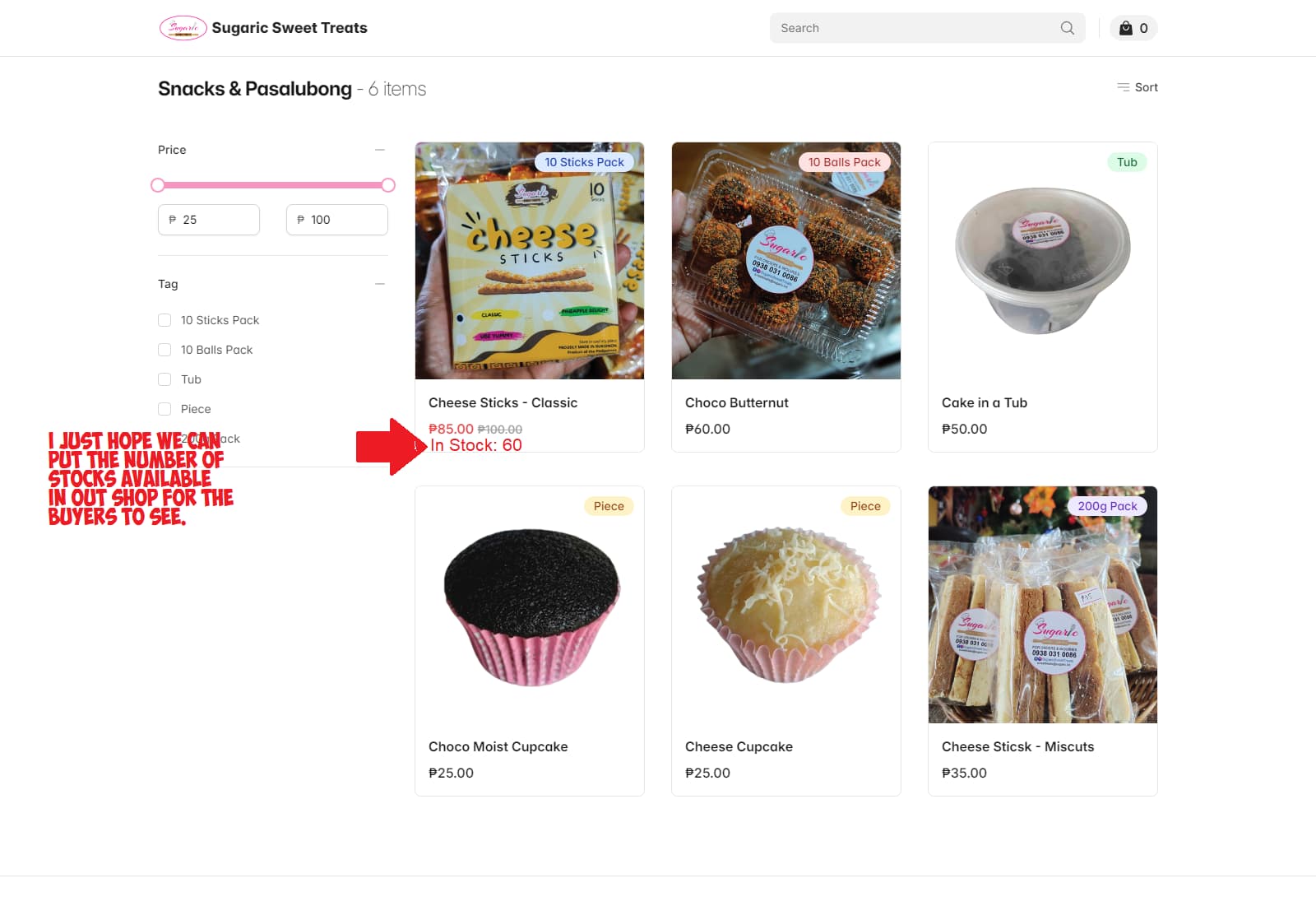
Hope we can display available products on hand or “IN STOCK” on our online shop.
Please see https://sweettreats.sugaric.biz/
Thank you.
Hope we can display available products on hand or “IN STOCK” on our online shop.
Please see https://sweettreats.sugaric.biz/
Thank you.
Hi,
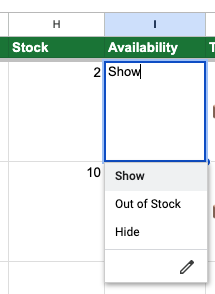
You can use the availability and stock columns in Google Sheets to manage “In stock” products.
Out-of-stock products will still be shown in your app, but it will be greyed out.
If you want to hide one product completely set the availability to “Hide”.
I hope we can DISPLAY THE NUMBER OF AVAILABLE PRODUCTS in the Shop…
Hi,
Now you can add the stock field to product information from ‘Settings > Products.’
Make sure you switch off the product detail page so that the info and “add to cart” buttons are shown on the homepage.
Let me know if you face difficulty in setting this up.
Hi @Shyjal ,
I choose hide but they are still visible like out of stock items. Please check and fix this issue.
Thank you,
Can you send a link to one example product that has this issue?
For example
https://www.hatgiongvietnam.us/product/ngò-rí-e-w-seeds-thái-lan/1.000%20hạt-Thailand
I set it " Hide " but it still " Out Of Stock " and visible.
Hi,
We checked your product data and found that your Google Sheet does not have an “Availability” column. The column name must be exactly “Availability” for the hide and out-of-stock functionality to work.
Currently, the product is marked as out of stock because the stock value is set to 0. To override this using the dropdown in the sheet, please rename the “RD” column to “Availability.”
Thanks for your support.