I have a few requests related to product listing and page formatting:
Request 1:
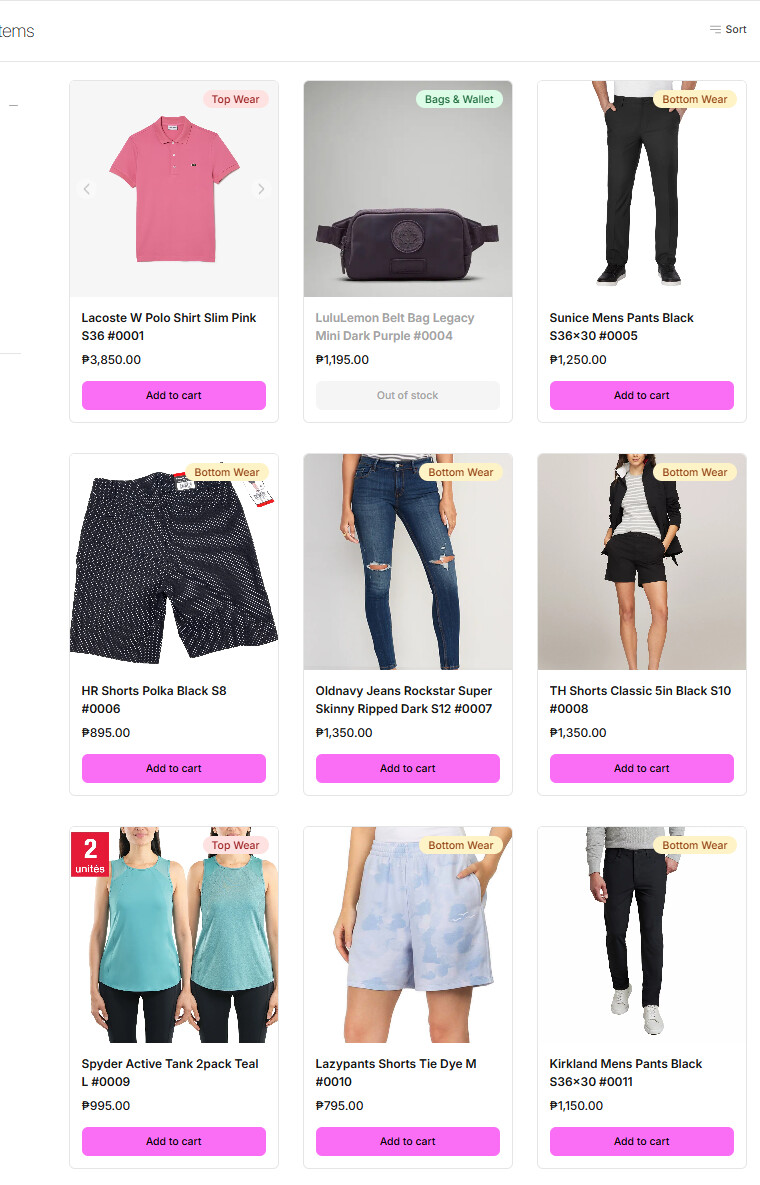
Implement dynamic sorting in category listings where products flagged as “out of stock” automatically move down in the display order. In-stock products should be prioritized and moved up accordingly. This sorting should update in real-time based on stock status to improve product visibility.
Request 2:
Currently, product descriptions and custom pages have inconsistent alignment. Can we update the text alignment to justified across these pages for a cleaner and more professional appearance?
Request 3:
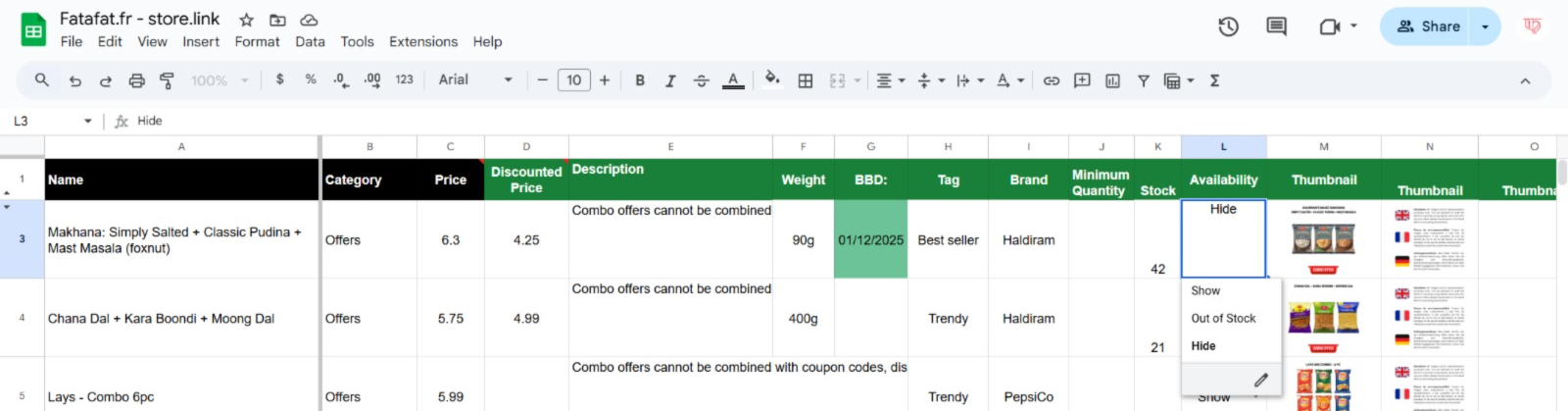
I want to add a new category labeled “Coming Soon” in the Availability section. We have attempted to do this several times but it isn’t working. Could you please guide me on how to properly add this category?
Request 4:
I would like to add a new column called “Maximum Quantity” in the product data sheet to limit the maximum purchase quantity for customers. Is this possible? If yes, please guide me on how to implement this.
Please let me know the feasibility and any impact these changes might have on the existing system.
#3 – I’m attaching a screenshot here for reference. In the “Availability” column dropdown, we attempted to add a new item with the label “Coming Soon”, but unfortunately it didn’t work despite trying multiple times in different ways. Could you please guide us on the correct way to add this option so that it appears and functions properly?
For Request 1, I noticed that while the Out of Stock are at the bottom when viewing categories, when I use the search bar and search for a term the Out of Stock are still mixed with the available items. Is it possible to fix this? I already tried moving the out of stocks to the bottom of the excel sheet (by using a numbered identifier) so I don’t know why they still appear on top when using the search function. It makes the site look messy. Thank you.